
From Your Settings tab you can do things like change your genres of interest, set your username, change the email address we use to contact you, change your password, determine how ePub files are delivered and modify your preferences for the emails we send you.
Genre Interests
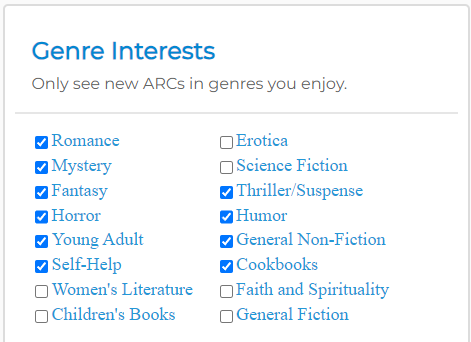
The ARC books that are available for reservation on the New ARCs Available tab are determined by the genres you indicated you were interested in reading when you first signed up. If you wish to change those selections, you can do that at any time from Your Settings. Just add a checkmark for any of the genres you wish to see offers for, and remove it from any that you don’t. Your changes will be saved immediately, and the next time you visit the New ARCs Available tab you will see the books in those genres.
Note: If you remove any genres for books that you already signed up for or were previously sent, those books will remain on your dashboard, and you are still responsible for completing the reader forms for them.
Account Settings
From this section you can add a username, update your email or change your password.
Set Username
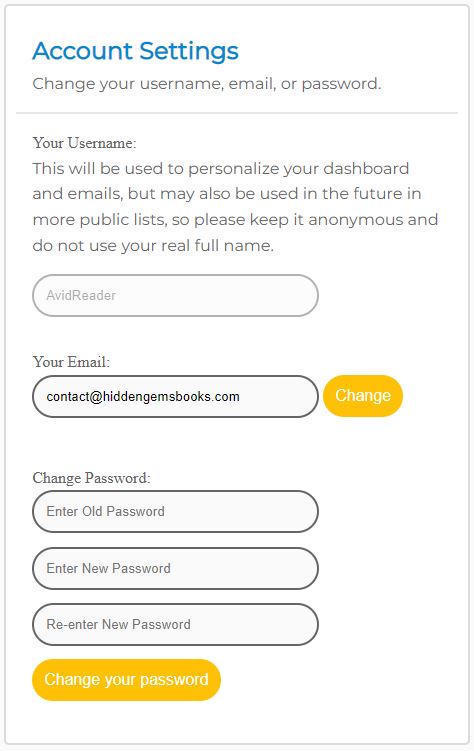
By default your username is your email address, but you are urged to change it to something unique and unidentifiable to you as it will eventually be used publicly in things like leaderboards (so we HIGHLY RECOMMEND that you DO NOT use your real name) or displayed at the top of your dashboard. You can only set your username one time, so choose carefully.
Change Email Address
You can change the email address that we use to send you things like your daily ARC emails and review reminders, and all other correspondence. The email we currently use is shown, but you can change it by typing in the new one and clicking the “Change” button. Note that you will need to validate your new address by clicking the link in the email we send to it, and a verification email will also be sent to your previous address (no action needed for that).
Change Password
You can change your password from this section by entering in your old password and then your new password in the two subsequent boxes. Be sure to click the “Change your password” button to save it.
Email Options
From this section, you can modify the delivery and/or format of the emails we send.
Daily ARC sign up notification email style
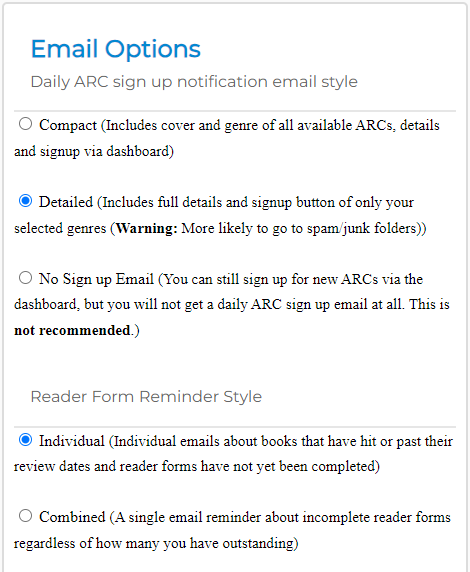
Compact: This option will send your daily new ARCs available email in a format that includes only the cover and genres of the 6 most recent ARC books available for reservation. This will include all of the books that were made available that day, as well as a few from the day before that are still open.
Note that this email does not consider genre preferences or review profiles, it is showing the covers of ALL the books available. That means that if you click on any of the covers and go to your dashboard, you may not actually see those books (if you don’t match the genre or review preferences).
Detailed: This option will send a more detailed daily new ARCs email that ONLY includes the books that match your genre preferences and review sites, and it will include all of the details of the book (title, author, cover, blurb, genres, sub genres, etc). If you there are no books that match your preferences and settings, you will not get an email that day.
No Sign up Email: Only use this option if you regularly visit the New ARCs Available tab on your dashboard on your own, because otherwise you won’t know about any of the new books we send as you will get no ARC sign up email at all. For most users, this option is not recommended. Remember that books are only open for reservation for a limited time, so without the email notifying you of the new books available, you may miss out on ones that interest you unless you regularly visit the website to check.
Reader Form Reminder Style
Individual: Use this option to get individual reminder emails about books that have past their review dates and you haven’t yet filled out the reader form for. These are simply reminders though, so don’t worry about being “late”. Just get your reviews in whenever you finish. Note that with this option you may get more than one reminder in a day.
Combined: This option is used to send at most one reminder in a day, but it will simply notify you that you have reader forms that need to be filled out. It will not specify which ones.
ePub File Delivery Options
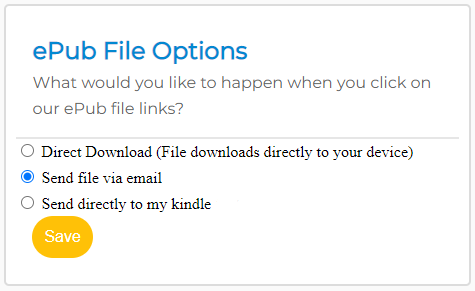
Most of the books we send will give you the option of either PDF or ePub. If you choose the ePub option, then how it is delivered depends on your settings in this section. Click here for more information on these options.