
Any books that you were sent and haven’t yet filled out the reader form for will show up in the Books You’re Reading tab. This allows you to keep track of all the books you were sent, download the book files, and add your reviews, comments, etc.
By default, all books that you haven’t completed the reader form for will show up in this list, with 10 books showing per page. You can move to the next page via the arrows at the bottom of the list if you have more than 10.
Filtering, Sorting and Search
For those with many books in this list, you will find the ability to filter/sort your list or search for specific books useful.

To shorten the list, you can select “New” from the filter section at the top left of this tab. This will filter the list to only show you books sent recently.
Alternatively, you can select the “Ready for reviews” filter, which will show only the books that have hit or past their review dates. As a reminder, the review dates are just dates that the author is hoping you aim for, but it is always okay to send your reviews in past those dates.
To search for a specific book, you can type the title of the book in the “Search by Title” box at the top right.
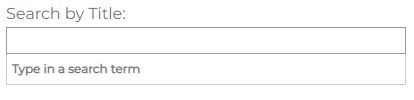
You must type at least 3 letters of the title, and any matching books will be displayed in the dropdown. If you click one, that book alone will be displayed in this tab. Click the “x” in the search box to clear the search.
To sort your list, change the “Order By Review Date” dropdown to either “Oldest to newest” or “Newest to oldest”.
Review Dates
As a reminder, the review date is simply the date that the author is hoping readers will aim for, but it is fine if you take longer to read and leave a review. Always better late than never. These review dates will be displayed within the book information on this tab if the date has not yet passed. If the review date has come, then you’ll see one of two messages (depending on how long ago the review date was in the past).


Review reminder emails will also be sent after the review date has passed, but these are automated so don’t take them personally. Just get the reviews done as soon as you can.
Book Files
If you haven’t yet downloaded the book files, you can click the “Need the book files again?” link which will then display your download options, generally either PDF or ePub. If you click the ePub link, then the file will be sent to you based on your ePub delivery settings as specified in Your Settings.
Quick Tip: Always download the book files as soon as you can, even if you aren’t going to read the book immediately. We don’t keep the files on our system forever, and once we’ve removed them they are gone and will no longer be available. If that is the case for one of your books that was sent to you a while ago, you will not see the option to download the book files.
Leaving Reviews or Reasons (i.e. Filling out your “reader form”)
The books on this page will show the review site icons corresponding to the review sites that the author has requested reviews on. If the icon is blue (like the Amazon one in the image below), that means that you are all set up in our system for reviewing books on that site. If you click the blue icon and we have the book link already, a new tab will open up taking you to this book on that site where you can review it if you haven’t already.

If the review icon is gray (like the Kobo icon in the image above), that means that while the author does want reviews on that site, you haven’t yet set up your profile in our system for it yet. If you can review there and wish to do so, just go to Your Profile Links tab and add your profile info. Then when you come back to the Books You’re Reading tab, the icon will be in blue.
(If you aren’t sure which review site an icon refers to, just hover over it and you’ll see a popup with the review site name.)
The buttons on the right of the book on this tab are what we refer to as your “reader form”. Basically this is just the info we are asking you to fill out for each book. Either your review link(s) or your reason for not reviewing – and optionally a comment to the author if you wish. For more information on how to complete your reader form, please click here.
Quick Tip: Don’t forget to complete your reader form for each book we send, and try not to fall too far behind as it may affect your gem level. Plus, you get additional HGB points for completing your form!