
Authors can choose between 4 different types of questions when putting together their questionnaires, although the exact questions they ask will depend on their book and what sort of feedback they’re looking for. Readers can open these forms and enter their answers directly beneath each question, and then submit their completed questionnaire (or save it as a draft if you wish to come back to complete it at another time (as long as it’s done by or before the due date). Note that ALL questions are REQUIRED and must be answered before your questionnaire can be submitted.
The 4 question types are:
Long Answer – This question type is used to ask open ended questions where the author is looking for a detailed answer from the reader. Beta Readers can type their answers directly into the box. Note that if the Beta Reader’s answer is larger than the default size of the box, they can simply expand the box by dragging the right corner. Beta Readers should expect the vast majority of questions (if not all) to be of this Long Answer type.
Example:

Number – This question type is used if the author is simply looking for the Beta Reader to enter a number as an answer to the question.
Example:

Single Selection – This type is used if the author wants to provide a pre-set list of choices and wants the Beta Reader to just select one answer from that set.
Example:

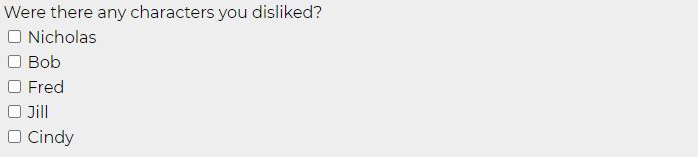
Multi Selection – This type is used if the author wants to provide a pre-set list of choices but the Beta Reader is allowed to select one or more answers from that list.
Example:
After all of the questions, at the bottom of the form, there are some instructions and reminders along with two buttons.

Save Draft – Use this to save the answers you’ve entered so far, either because you want to close the form and come back to it later to complete, or just to save what you’ve written so far in case of power failure or accidentally closing the tab. Note that even if you have entered all the questions and saved your draft, that is NOT the same as clicking the Submit button. It is the Beta Reader’s responsibility to ensure that they click the Submit button on their completed questionnaire ahead by or before the due date or they will not be paid for the job, and risk being removed from the program.
Submit Completed Questionnaire – When you have completed your questionnaire and are sure that no further changes are necessary, click this button to submit your answers. Once you have clicked this button, you CANNOT come back to edit your answers so only click it when you are sure you are done. Only once you have submitted your completed questionnaire for a book will you start getting offers to sign up for new Beta books, so if you finish early feel free to submit it right away – there is no need to wait until the due date.
HINT: A good idea would be to refresh your dashboard after you submit your questionnaire, in case there are available offers that are open that you didn’t get the sign up email for since they went out before you had submitted your questionnaire.