
The New ARCs Available tab is where you can view all of the ARC books currently available for reservation within your genres of interest and that are looking for reviews on at least one of the sites you’ve filled out your profile info for. From this tab, you can view all the details of each book (Cover, Genre, Sub-categories, Description, etc), including where the author is looking for reviews to be posted. You will only see offers to reserve books where you can reserve on at least one of the requested sites. You can see which sites are desired via the small blue icons under the “Reviews Requested On:” text.
If you aren’t sure which site the icon refers to, you can hover over it and the review site name will appear.
If you’re interested in reading a book, just click the “Reserve Your Copy” button next to it (unless there are no copies left, or the reservation period is closed, in which case you’ll see a message about that).
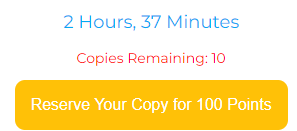
As you can see, this button also displays how many HGB points it costs to reserve your copy. Unless you have fallen way behind in your reading and reviewing and your gem has become cracked, you’ll always get at least enough points to reserve one book a day, but those that participate more and raise their gem level higher will be able to reserve even more than one a day, if they wish.
Above the button, you will also see the amount of time left before reservations are closed, as well as how many copies are remaining. The number of copies remaining will not always be a numerical value, sometimes it will say “Unlimited” if the author is looking for as many readers as they can get, or it may say “Many” if there are lots of copies remaining. Once the number of copies starts to get more restricted, however, the copies remaining will display the number left.
IMPORTANT NOTE: The copies remaining value is populated when you refresh the page, and so it is possible that even though it shows that there are copies available, by the time you click the button all of the remaining copies may be taken in which case you will be shown a message that there are no copies available if you try to reserve one.
If you successfully reserve a copy, you will see a message letting you know when the links to download it will be available. And if the reservation period is still open, you will also see a button you can click to Unreserve your book. If you change your mind about a book before the countdown timer is up, just click that button and your HGB points will be refunded and you will not be sent a copy. Once the reservation is closed, no changes can be made to your reservation.
You can reserve as many books as you are interested in (and have points for), but please try to make sure you will have the time to read and review them all in a reasonable time. The review date on this form is just a date to aim for, it’s okay if it takes longer, but in fairness to the author please try your best to get as close to that date as you can. Don’t sign up for so many books that you fall far behind. If you do, you may find your gem level falls, which may reduce your points and eligibility for some books. Although once you get caught up again, your gem level will raise back up.
Remember that you are responsible for keeping up with the books you reserve, and all of them will be listed on the Books You’re Reading tab, as will the links to download the files, so make sure and check there often in case you miss the emails.
In fairness to the authors, be sure to look at all of the book details and read the entire description (you may need to use the vertical scrollbar next to the description text to see the entire description if it is long) before signing up for a book to make sure it is one you are interested in.
Only sign up for books that you are interested in reading, think you can at least come close to reading it by the review date, and that you think you’ll enjoy. Otherwise just skip it, another book that suits you better is sure to come along soon!
What if there are no books to sign up for?
If you don’t see any new books listed here, that means there are no new books that match your criteria. But new books become available each day, and stay open for sign up for close to 2 days, so if you check back tomorrow or the day after, you’re sure to see something that interests you.
However, it also depends on your genres of interest and profile settings. The more genres you have selected, and the more review sites you can leave reviews on, the more books you’ll see offered. Each day there are usually 4 or 5 new titles added, so if you aren’t seeing anything you like, consider selecting more genres or filling out more review profiles.
If you want to see all the books available across all genres without changing your genre settings, you can move the View All Genres Slider to Yes.

This slider is found at the top right of your New ARCs Available tab. If you move it to Yes, all of the books available across all genres will be displayed, although they will still be limited to only ones that you can review based on your review profiles. If you see a book you like, you can reserve it as normal. Just make sure it is of interest to you, as it may be in a genre you don’t normally read.
Quick Tip: The View All Genres slider will be reset to No whenever you next come back to this tab. If you want to see more books regularly, then you should change your genre preferences from Your Settings tab.