
Not all authors want Goodreads reviews, but as anyone can create an account, it is an option available to all ARC readers and will provide you with some book review options even if you don’t have any other review sites you can use.
While it is possible to have more than one Goodreads account, we can only track one so please add your profile for the account you plan to use to leave reviews on from the books you get from us.
You can do this from the Manage Profiles Links menu option. The Goodreads section is near the top, and if we already have it you will see the URL to your profile there. If you click it, it will take you to your Goodreads public profile page. If this is not the profile you wish to use, then click the Request to Change Profile Link button, which we’ll talk more about in the Editing section of the main part of this FAQ question.
If we don’t have your profile yet, then you can add it via the Click to add profile link button. This will open up a couple of windows that will guide you towards finding and adding your profile link, but we’ll go over all of that here as well.
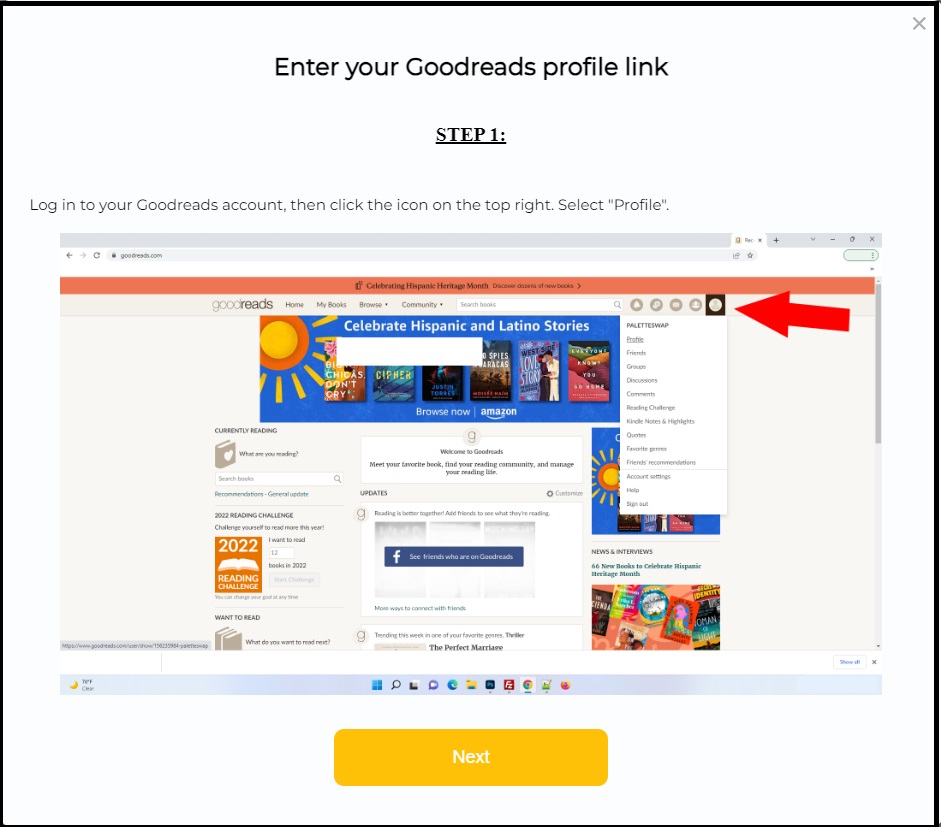
The first step is to login to your Goodreads account and click on the profile icon found at the top right of the screen, as indicated in the screenshot above by the big red arrow. This should open your Goodreads profile page (the screenshot in the window above shows what that might look like – except yours will show your own public Goodreads reviewer name) and what we need from here is the URL, which is found in the address bar of the browser up at the top – where the big red arrow is pointing. It would be something like “https://www.goodreads.com/user/show/XXX” where the ending is different for each profile. Highlight that whole URL from your browser and copy it. Once you’ve done that, return back to the app and click Next.
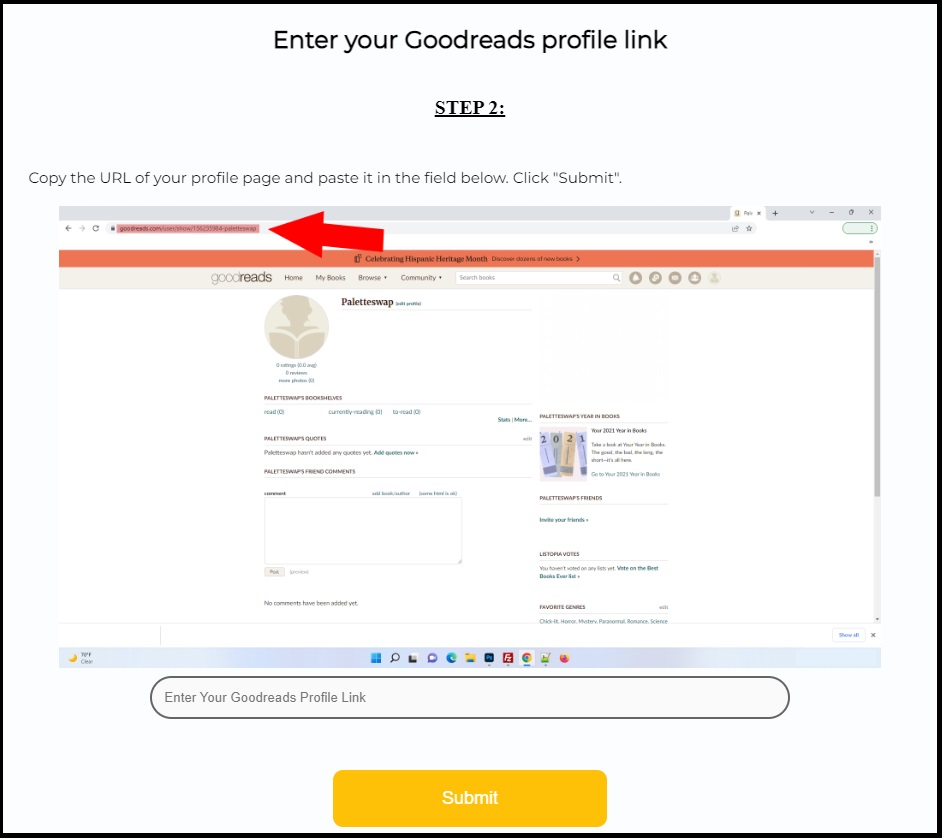
When you see the screen above, paste the link into the box that says “Enter Your Goodreads Profile Link” down at the bottom of that window.
Hit Submit and then you’re all done (it may take a few seconds as it validates your profile).
We now have your Goodreads profile and should be able to find your reviews whenever you try and submit your review from your Reader Form to let us know that they have been added and approved!
Note: If you have any problems with any of this, please contact us for help!