
There are a couple of different ways to find your review link on Amazon. The first would be to navigate to your Amazon profile, which normally displays all of the reviews you have left. If you aren’t sure how to find your profile, remember that you added it to the Manage Profile Links section of the app, so by going there you can find and click the link to your Amazon profile to be taken to it directly.
From there, you should see a set of boxes that contain products you have reviewed. If you see your review of the book, click on it and you will be taken to a page that just displays your review of that book.
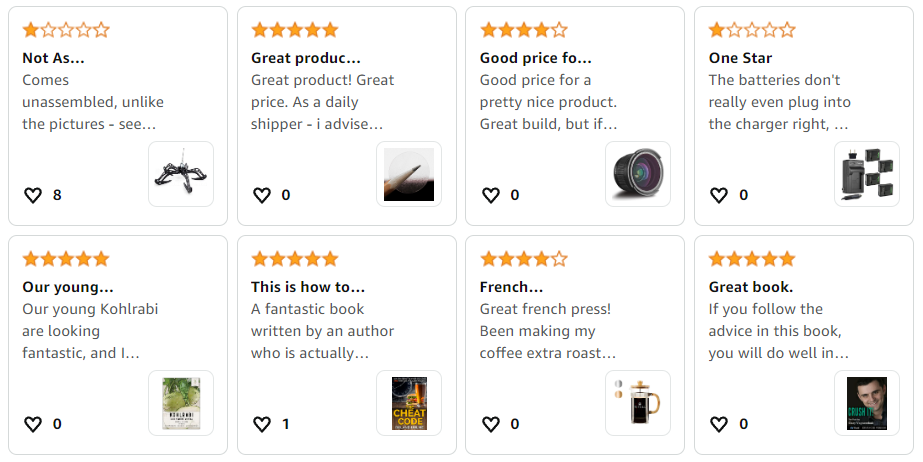
However, depending on your sensitivity filter settings as well as how many other books you have reviewed, it may be hard or impossible to find your review for this book from your profile page.
An alternative is to go to the book you reviewed on Amazon, scroll down to the list of reviews and find yours (depending on how long ago you reviewed and how many others have reviewed it since then, you may need to scroll through a few pages before you find yours.) Once you do, click on the title of your review which will take you to a page that displays just your review.
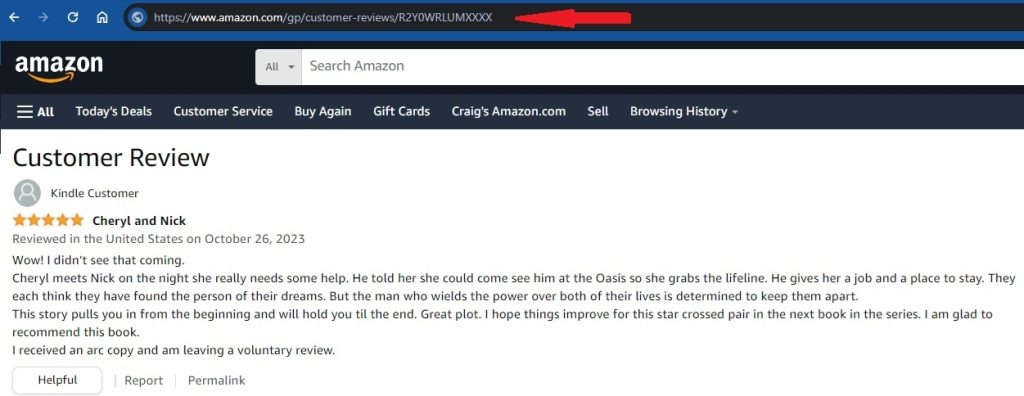
From there, simply click into the address bar at the top of your browser (as indicated by the red arrow) and highlight the URL. Then copy it and go to our reader form and paste it into the box asking for your Amazon review link.
Quick Tip: If Amazon sent you an email letting you know that your review was live, then it will have included a link to that review. Simply click on it and then follow the steps above.
